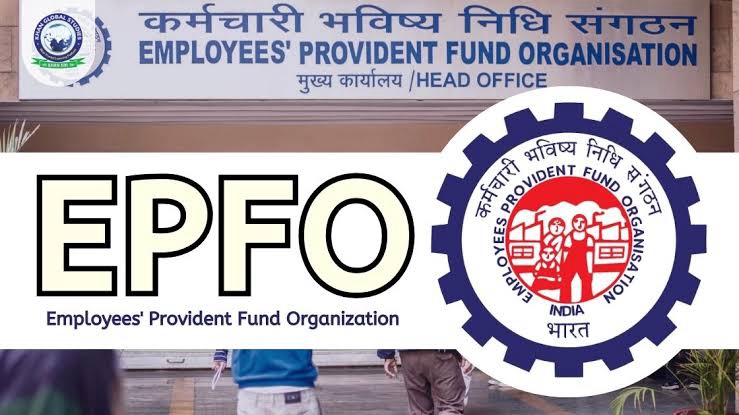
Imagine staring at your phone, wondering if your retirement savings are growing as they should. In a busy life, tracking your Provident Fund (PF) balance shouldn’t mean a trip to the bank or long waits on calls. Mobile tools make it simple and quick, helping you stay on top of your finances without hassle.
You can check your PF account balance right from your pocket. This saves time and adds peace of mind. We’ll cover key ways to do it, like using an app, SMS, missed calls, or the UMANG platform. Each method fits different needs, from instant peeks to detailed views. Stick around for clear steps that work every time.
Section 1: Prerequisites for Mobile PF Balance Inquiry
Before you dive into checking your PF balance on mobile, you need a few basics in place. Without them, services might not work. Let’s break it down.
Understanding Your Universal Account Number (UAN)
Your UAN acts like a master key for all your PF accounts, no matter the job. It links past and present contributions into one spot. You can find it on old pay slips or your boss’s HR portal.
If you’ve lost it, head to the EPFO website. Log in with your details or use the “Forgot UAN” option. It asks for your name, date of birth, and mobile number to send a reminder fast.
This number stays with you forever. It makes switching jobs easier on your savings. Always keep it safe, like a PIN for your future.
Mandatory KYC and Mobile Number Linking
KYC means proving who you are with docs like Aadhaar, PAN, and bank info. Without it, mobile checks hit a wall. EPFO requires this to keep things secure.
Link your mobile to the UAN first. Go to the EPFO site, enter your UAN, and get an OTP on your phone. Verify it, and you’re set for alerts and balances.
Think of it as unlocking a door. Once done, services flow smoothly. Skip this, and you’ll face errors every try.
Section 2: Checking PF Balance via the Official EPFO Member Portal Mobile App
The EPFO app turns your phone into a finance hub. It’s free and user-friendly. Download it now for the easiest way to see your PF details.
Downloading and Setting Up the m-EPFO Application
Search for “EPFO” in the Google Play Store or Apple App Store. Grab the official one from the Employees’ Provident Fund Organisation. Avoid fakes to stay safe.
Open the app and sign up with your UAN. Set a password that’s strong but easy to recall. If your UAN isn’t active, do that on the website first with an OTP.
The setup takes under five minutes. Once in, it pulls your data securely. Update the app often for the latest features.
Navigating the ‘View Member Profile’ and ‘View Passbook’ Features
Tap the menu and pick “View Member Profile” for basic info like your name and last balance update. It’s quick for a snapshot. But for the full picture, go deeper.
Switch to “View Passbook.” This shows every deposit, withdrawal, and running total. Scroll to the end for your current PF balance.
Say your employer added money last month. In the passbook, you’d spot that credit line by line. It matches your salary slip, proving everything’s in order. If numbers don’t add up, note the dates for a follow-up.
This app beats paper statements. You get it anytime, anywhere. Use it weekly to watch your nest egg grow.
Section 3: Quick Balance Check Using SMS and Missed Call Services
Not every day needs an app launch. For super-fast checks, try SMS or missed calls. They’re old-school but reliable, especially on the go.
Utilizing the SMS Service for Balance Updates
Grab your phone’s messaging app. Type “EPFOHO UAN ENG” – replace UAN with your number. Send it to 7738299899.
Wait a bit, and a reply pings back with your last balance and due date. Swap ENG for HIN if you want Hindi, or other codes like TML for Tamil. It covers major Indian languages.
This works round the clock. No internet needed, just signal. Costs a small SMS fee, but it’s worth the speed.
Keep your mobile registered, or it bounces. Test it monthly to stay sharp on your funds.
The Missed Call Facility: A Zero-Cost Option
Dial 9966055555 from your linked phone. Let it ring twice, then hang up. That’s it – a missed call triggers the magic.
In moments, an SMS arrives with your PF balance details. It’s free, no charges at all. Perfect for low-balance worries.
Your UAN must be KYC-approved, and your bank linked. If not, fix that first on the EPFO site. Delays happen if servers are busy, so try again later.
This method shines in spotty data areas. It’s like a quick hello to your savings. Use it when apps lag.
Section 4: Accessing Balance Through the UMANG Application
UMANG bundles tons of government services in one app. It includes EPF checks, making life simpler. If you use other gov apps, this fits right in.
Introduction to the Unified Mobile Application for New-age Governance (UMANG)
Download UMANG from your app store. It’s official and safe. Sign up with your mobile or email for a one-time PIN.
Once inside, search for EPFO services. It pulls in PF tools without extra logins sometimes. Great for folks who hate multiple apps.
The government built this to cut red tape. Now, citizens access benefits from one spot. In 2026, it’s even smoother with updates.
Step-by-Step Balance Inquiry within the UMANG EPF Module
Open UMANG and tap “All Services.” Find “EPFO” under labor sections. Select “Enquire PF Balance.”
Enter your UAN and captcha. Hit submit, and it shows your balance plus passbook snippets. Log in fully for more depth.
If it’s your first time, verify with OTP. The app remembers for next visits. Check under “Employee Centric Services” for extras like claim status.
This platform pushes digital ease for all. Even in small towns, it works well. Pair it with the EPFO app for best results.
Section 5: Troubleshooting Common Mobile Balance Check Errors
Glitches happen to everyone. Don’t panic – most fix quick. Here’s how to sort mobile PF issues.
Resolving ‘KYC Not Verified’ or ‘Mobile Not Linked’ Issues
See “KYC not verified”? Log into the EPFO portal on a browser. Update Aadhaar, PAN, and bank under profile.
Upload scans if needed, then e-sign with Aadhaar OTP. It takes a day or two to approve. Link your mobile the same way.
Common slip: Wrong number entered. Double-check and retry. Once fixed, all methods unlock.
Stay patient; it’s a one-time chore. After, checks run smooth as silk.
Handling Inaccurate or Outdated Balance Figures
Balances off? Recent employer adds might lag in processing. EPFO takes up to a week for credits.
If it’s been longer, check Aadhaar seeding errors. Correct them on the portal. Cross-check with the web passbook for truth.
Still wrong? Contact EPFO helpline at 1800-118-005. Give your UAN and details. They sort it fast.
Delays hit about 10% of users monthly, per reports. Verify often to catch them early. Your savings deserve accuracy.
Conclusion: Maintaining Financial Awareness on the Go
Checking your PF account balance on mobile keeps your retirement on track. We covered the app, SMS, missed calls, and UMANG – each with pros for busy days. Pick what suits you, but do it regular.
These tools spotlight employer inputs and growth. In February 2026, with rising costs, this awareness matters more. Act now to secure your future.
- Activate your UAN on the EPFO site.
- Finish KYC with Aadhaar, PAN, and bank links.
- Register your mobile for OTPs and alerts.
- Update apps and try methods weekly.
Grab your phone and check today. Your finances thank you. Stay informed, stay ahead.
EPFO Member Portal (UAN Login & Passbook)
👉 https://unifiedportal-mem.epfindia.gov.in/memberinterface/
Use this link to:
- Activate your UAN
- Complete KYC (Aadhaar, PAN, Bank)
- Check PF passbook and balance
- Update mobile number
Conclusion: Stay Financially Aware with Easy Mobile PF Tracking
Checking your PF account balance on mobile is one of the easiest ways to stay informed about your retirement savings. With options like the EPFO app, UMANG app, SMS service, and missed call facility, you can monitor your PF balance anytime and anywhere without visiting an office or waiting in long queues.
Regularly tracking your PF balance helps you ensure that your employer contributions are being deposited correctly and your savings are growing as expected. In today’s fast-paced and rising cost environment, staying financially aware is more important than ever.
Make sure your UAN is activated, complete your KYC verification, and keep your mobile number linked to your PF account. By using these mobile tools regularly, you can maintain better control over your financial future and plan your retirement with confidence.
About the Author